Works behind your firewall
Agents initiate outbound WebSocket connections. Reach your home lab, VPS, or Pi without opening a port on the target.
A terminal on every machine you own. Reach your servers, home lab, and Raspberry Pis from any browser. Your machines. Your control plane.
root@homelab-nuc ~ # docker ps

NAMES STATUS
app-web Up 3 hours
app-database Up 3 hours
app-grafana Up 2 days

root@homelab-nuc ~ # uname -sm
Linux x86_64

root@homelab-nuc ~ # ▊BOOTSTRAP / CONNECT / OPERATE
A straightforward install, with the moving parts explained. Know what runs before you run it.
Three containers. One published port. Start with the supplied Docker Compose stack.
Install SpectreInstall the Go agent, approve its enrollment, and let it dial out. No inbound port required.
Enroll an agentTerminate TLS, protect your admin password, back up state, and own the trust boundary.
Read the runbookTHE VIEW FROM YOUR BROWSER
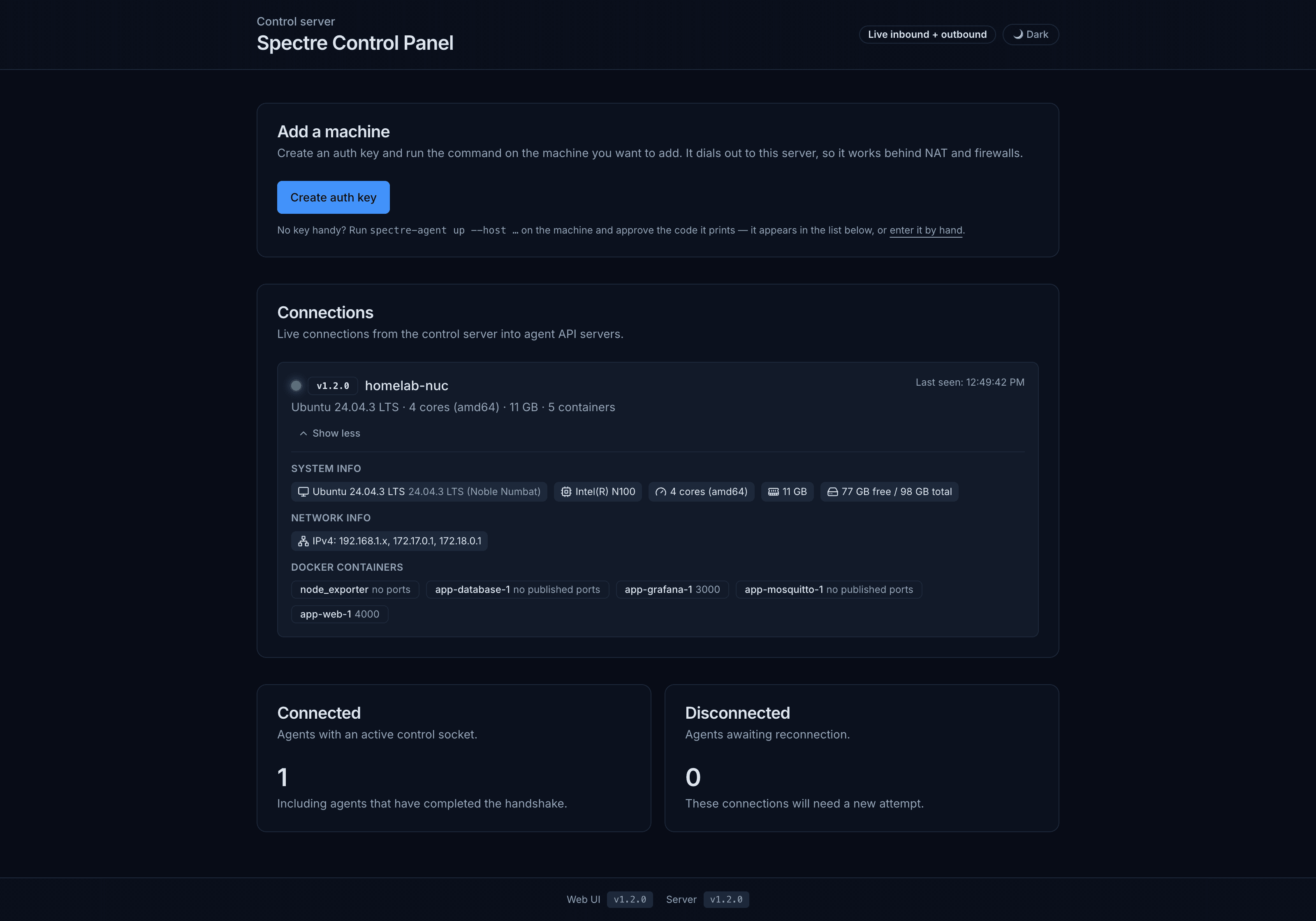
See connected agents, host information, and Docker containers. Choose a machine and open a terminal.
UNDER THE HOOD
The proxy sends /api/* to the control server and serves the UI on the same origin. Each enrolled agent connects outbound using its own device key.
No listening port on the agent host
Agents initiate outbound WebSocket connections. Reach your home lab, VPS, or Pi without opening a port on the target.
With tmux installed, your session survives a disconnect. Close the tab on your phone. Reattach from your laptop.
A Go agent, a TypeScript server, a React UI, and SQLite. Read the source, build the binaries, and run it yourself.
WITH ROOT ACCESS COMES RESPONSIBILITY
One admin password grants shell access to every enrolled machine. Use TLS, protect credentials, and revoke machines you no longer own.
BUILT IN THE OPEN
Spin up the development stack, inspect the wire protocol, or send your first contribution.